Lab 3.7 - Production is broken: hotfix and retrofit
The situation
17:40 on a Friday. Planners close the week by cancelling the installations the crews could not reach and back-dating them to the day the job was called off. Every one of those saves is refused.
The formula of the Installation_Date_Not_Past validation rule exempts installations that are
Completed and says nothing about the ones that are Cancelled, so a job that will never happen is
being held to a rule about scheduling it. It is one missing condition, and it is stopping the
planners from closing their week.
A hotfix does not skip the pipeline. It enters it further along. An ordinary story starts on
integration and travels integration to uat to preprod to main. A hotfix starts on
preprod, the branch that holds exactly what production runs, and travels preprod to main. Same
branches, same protection, same checks, same deployment jobs. Only the entry point differs, which is
why Lab 3.1 put preprod in availableTargetBranches.
One thing follows from that, and Part 3 is about it: uat and integration never saw the commit,
so the next release from integration would deploy the old formula over the fix and bring the
incident back. Bringing main back down is the retrofit, and it is not optional.
Before you start
- Lab 3.6 finished: the release is in production
-
helios-preprodandhelios-prodconnected in Orgs Manager - Nothing waiting in the Source Control panel that you still care about
Part 1: the fix
1. See what is broken, in production
Goal the refused save reproduced on helios-prod, and the formula behind it read.
Do
- Open
helios-prodfrom Orgs Manager, with its Open action. That does not change your default org, so there is nothing to switch at the bottom of VS Code -
Look at the rule itself: Setup > Object Manager > Installation > Validation Rules (1), then
Installation_Date_Not_Past(2)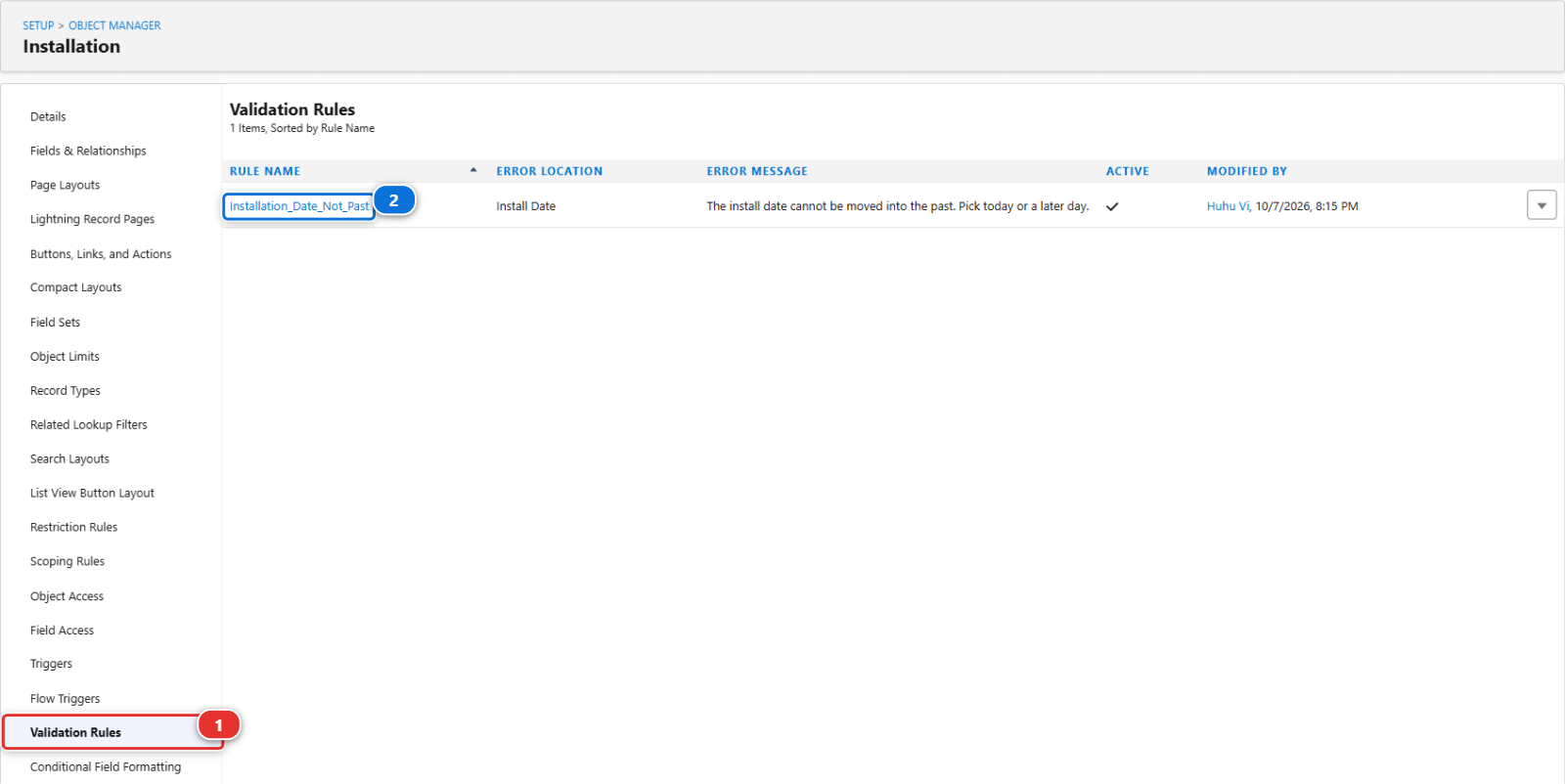
-
Read its formula today:
-
Confirm it before you call it an incident. Open any installation in
helios-prod - Set its status to
Cancelled, put yesterday's date in Install Date, and save
Why
Three conditions, and two of them already did their job. ISCHANGED is why an old record can still
be saved as long as nobody touches the date, and the Completed exemption is why a finished job can
be dated when it actually happened. Whoever wrote this thought about it. They just wrote the list of
exceptions before anybody had invented a second way of being an exception.
You should now see
- The error message in the picture above, on the save of the cancelled installation. That is the report reproduced, on the real org, in thirty seconds
2. The developer branches the fix from preprod
Goal Romain's fix open as a Pull Request into preprod.
The fix is Romain's to write, not yours: a release manager reviews and ships what contributors send, and does not write their features.
Do
-
Open Training: Level 3 > Simulate my teammates
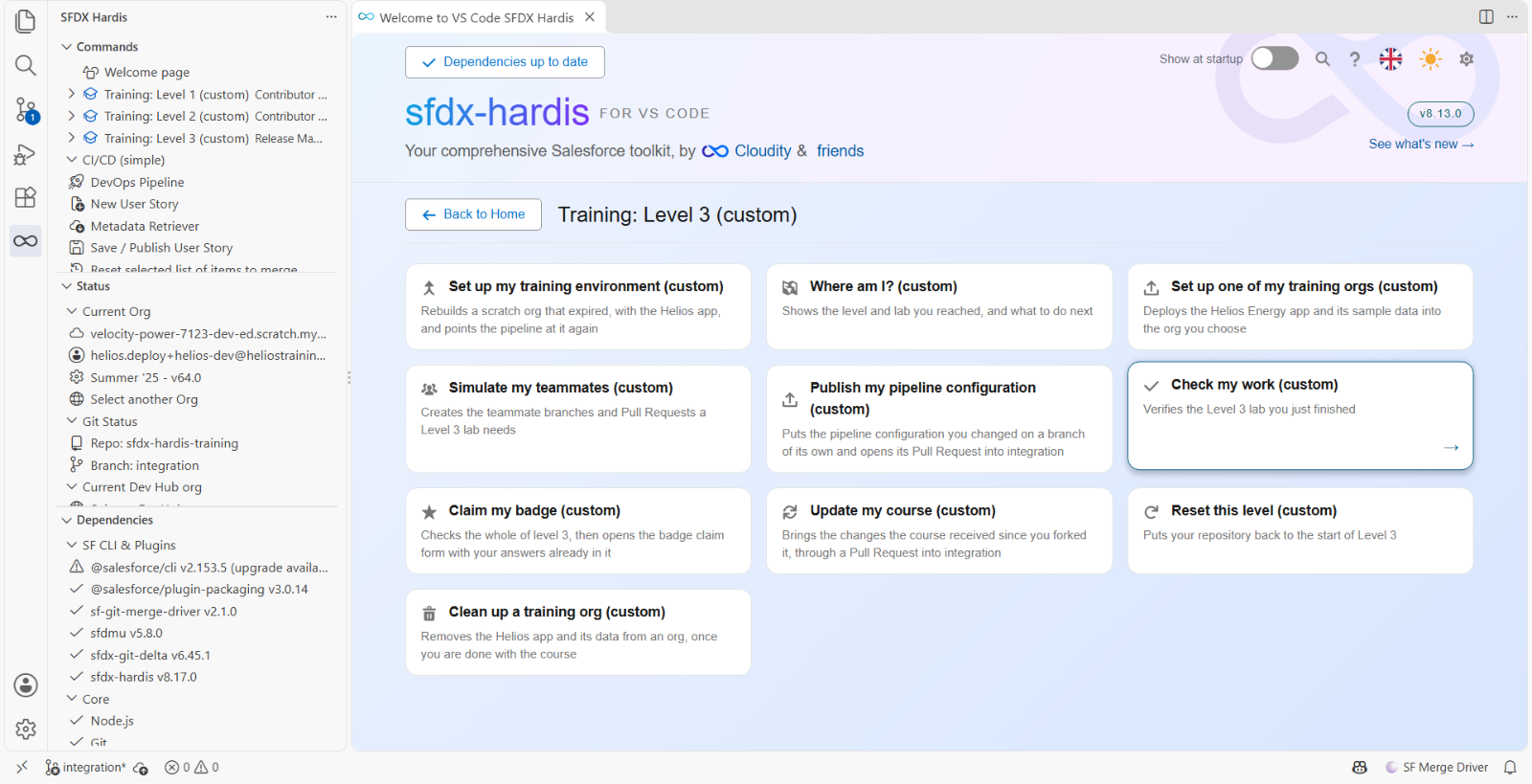
-
Pick US-045 Hotfix: cancelled installations can be back-dated again
Never branch a hotfix from integration
integration carries next week's work. A fix branched from it ships next week's work to
production tonight, on top of an incident, untested by anybody. This is the single most
expensive mistake available in this lab, and the reason preprod exists.
Why
His branch was cut from preprod, which is what New User Story does when the target is
preprod.
You should now see
- His Pull Request from
fix/US-045-installation-date-hotfixintopreprod, opened by the simulation
3. Review the fix
Goal the fix reviewed, and its blast radius known.
Refresher Lab 3.2
Do
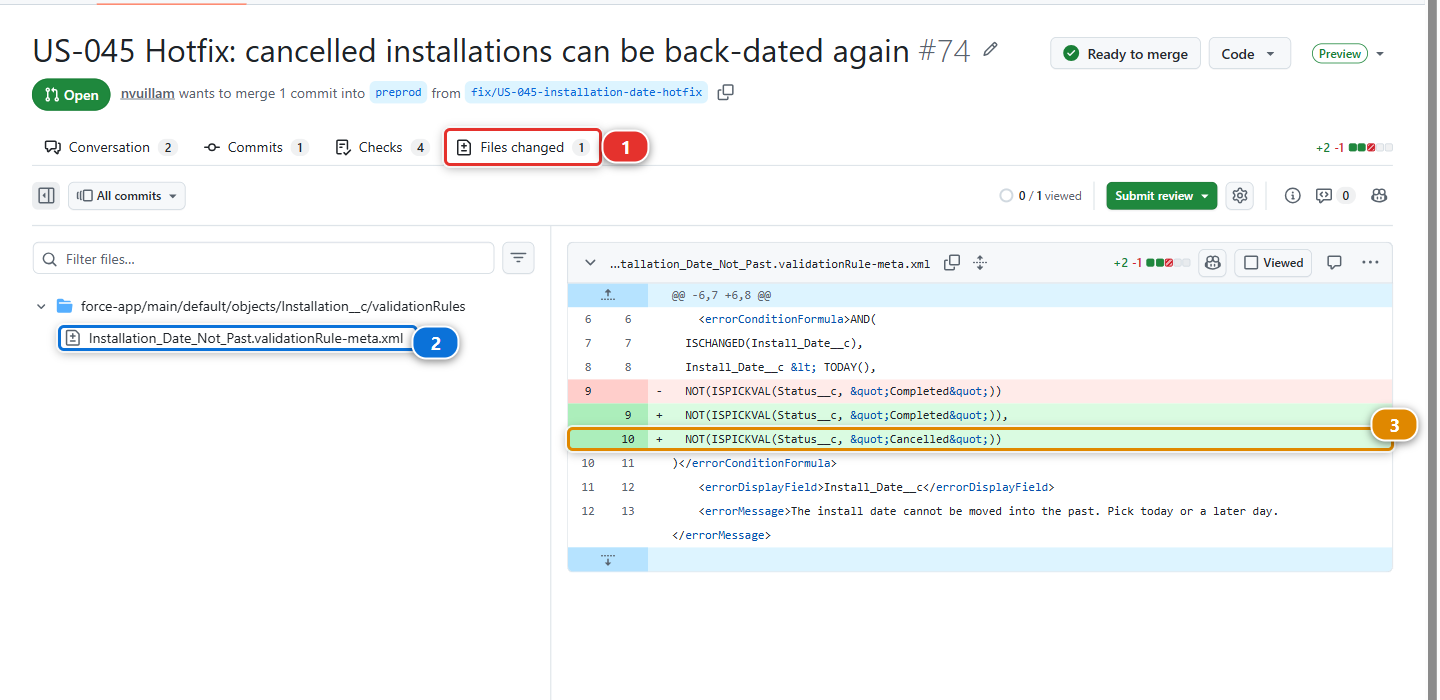
- Open the Pull Request, then Files changed (1)
-
Check there is one file, the validation rule (2), and that the change is the added line (3):
-
Read it against the questions of Lab 3.2: it matches the story, nothing disappears, and it is reversible in one line
Why
A cancelled installation is finished work, exactly like a completed one, and the rule's own description says finished work is exempt.
Small, and its blast radius fits in one sentence: cancelled installations can be dated in the past again, and nothing else changes. That is a hotfix.
You should now see
- One file changed, and one line added: the
Cancelledexemption
Part 2: to production
4. Merge it into preprod
Goal the fix in preprod, and deploying to helios-preprod.
Refresher Lab 1.6
Do
- Wait for the check to turn green
-
Merge it with Squash and merge, from the arrow beside the green button (1)
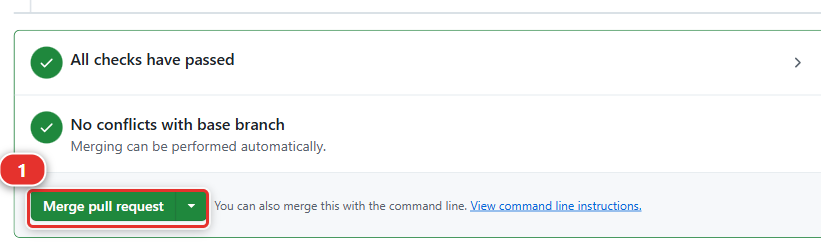
Why
Romain's branch is a fix, and a fix is squashed like every User Story
(Lab 1.6), which the How to merge line of the green check comment says too. The promotion into main that follows is merged, not squashed.
The deployment to helios-preprod is the rehearsal, on an org that holds what production holds,
and it costs you two minutes.
You should now see
- The deployment to
helios-preprodfollowing on its own
5. Release preprod into main
Goal a Pull Request from preprod into main, titled as a hotfix, its check validating against production.
A + PR chip sits on each arrow between major branches in the DevOps Pipeline diagram.
Do
-
Click the one on the arrow from
preprodtomain(1)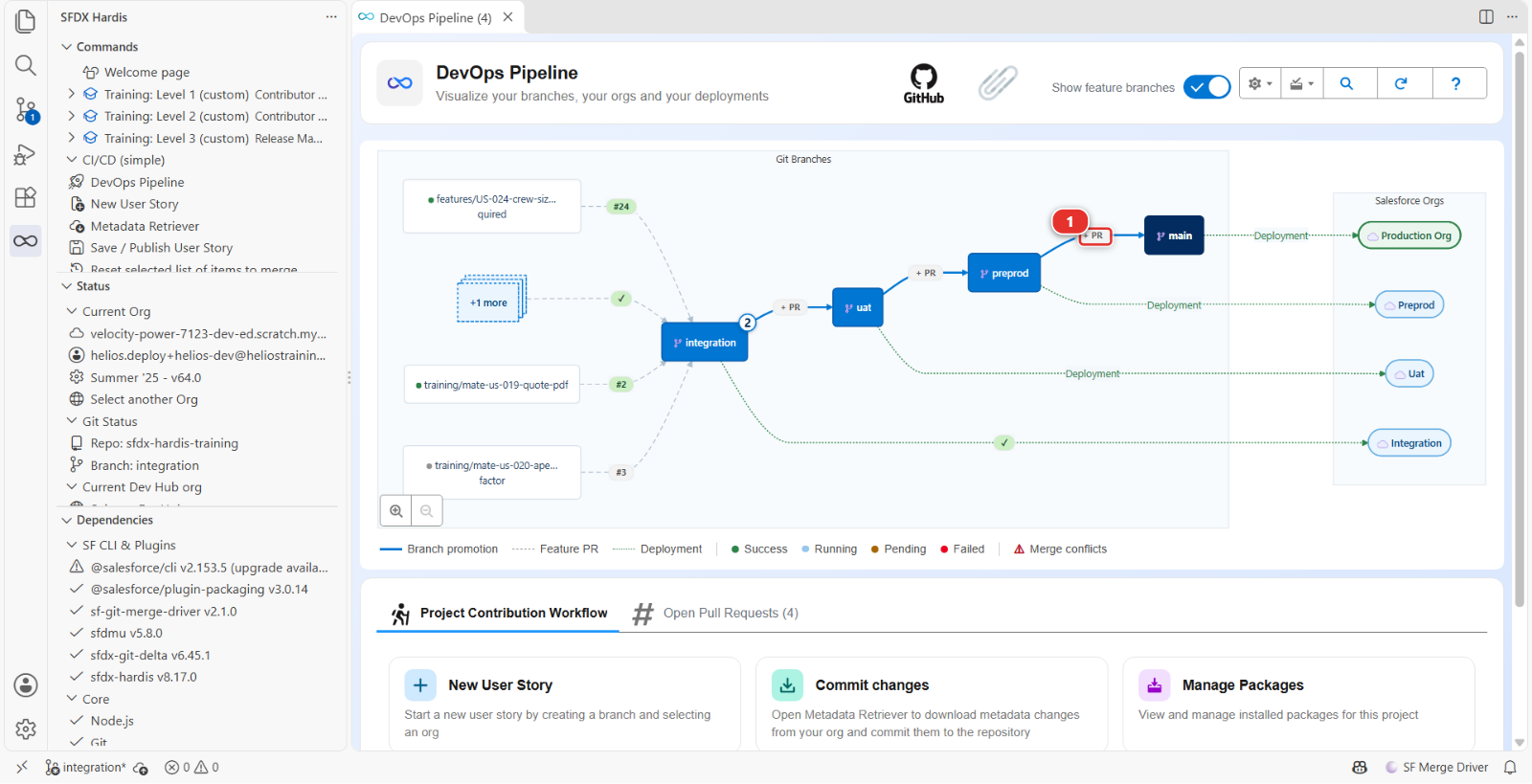
-
Title it plainly, use the word Hotfix rather than Release, then click Create pull request:
Hotfix US-045 to production
Why
The word Hotfix in the title means that a year from now the list of Pull Requests into main says
which ones went the short way.
Its check deploys against production in validation mode, which is exactly what you want at 17:40: the same gate, on the real org, taking two minutes.
You should now see
- The Pull Request
Hotfix US-045 to productionintomain, with its check running against production
6. Confirm it is live
Goal the fix deployed to helios-prod, and checked in the org itself.
Do
- Merge, and watch the Process Deployment (sfdx-hardis) run on
main -
When it finishes, read what the sfdx-hardis comment says reached the org: the verdict ✅ Deployed to
main(1), the Metadata row (2), which says how it was deployed, for example Full Quick Deploy, and what changed, and the Apex tests row (3), Already run during the validation. The picture is the comment of an earlier deployment, so your counts are different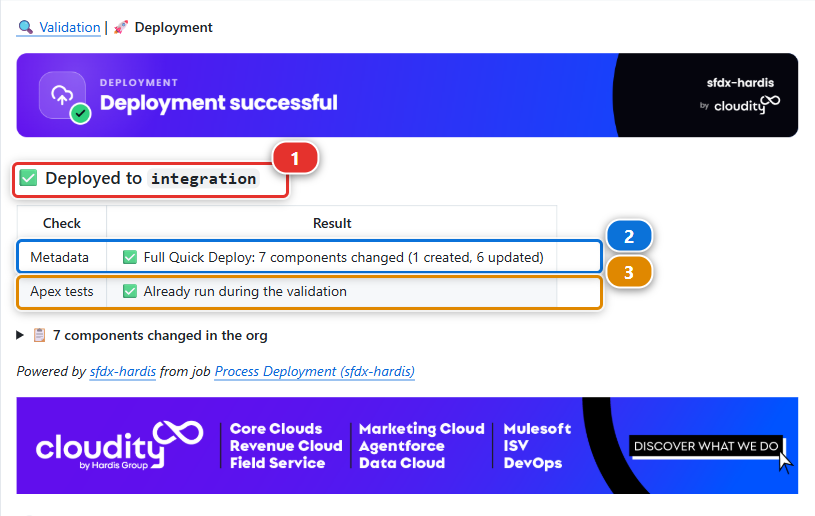
-
Then confirm it the way you reproduced it: cancel an installation in
helios-prod, back-date it, and save
Why
Already run during the validation means the merge deployed the validation its check had already run on production, rather than deploying again.
A deployment log is not a confirmation. The log says what Salesforce accepted. Only the org says whether the thing people complained about actually works now.
You should now see
- The verdict ✅ Deployed to
mainon the comment - The back-dated cancelled installation saves. The planners can close their week
Part 3: the retrofit
7. Start the retrofit branch
Goal a retrofit branch, cut from the latest integration.
main and preprod carry the fix. uat and integration do not. Leave it there and the next
story from integration that touches this rule deploys the old formula over it, and the incident
comes back on a day nobody is expecting it.
Do
-
In the DevOps Pipeline panel, under Project Contribution Workflow (1), click New User Story (2)
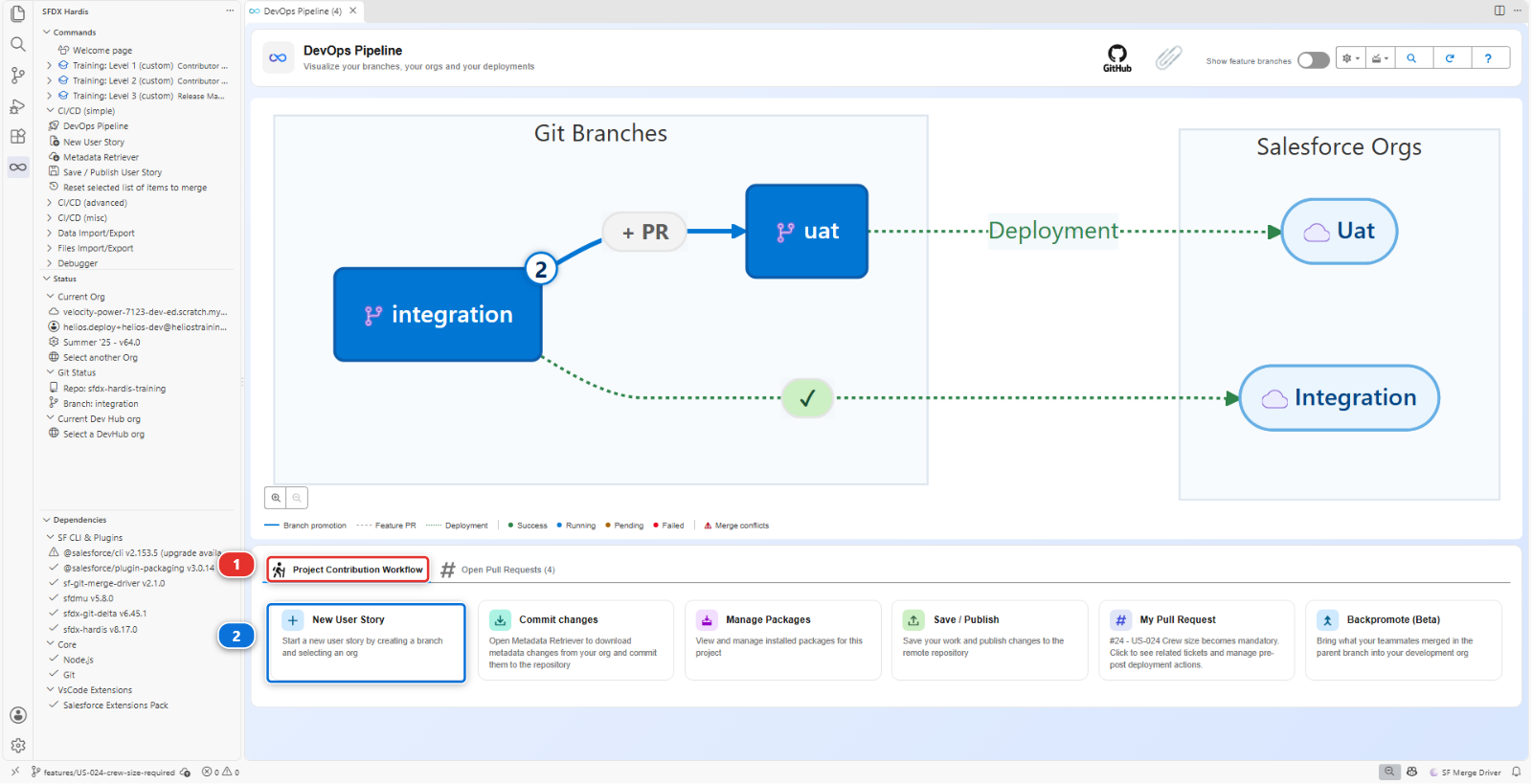
-
Answer the questions with the table below. At Type of branch, take the third one, Retrofit: merge production back down into the pipeline after a hotfix (release manager) (1)
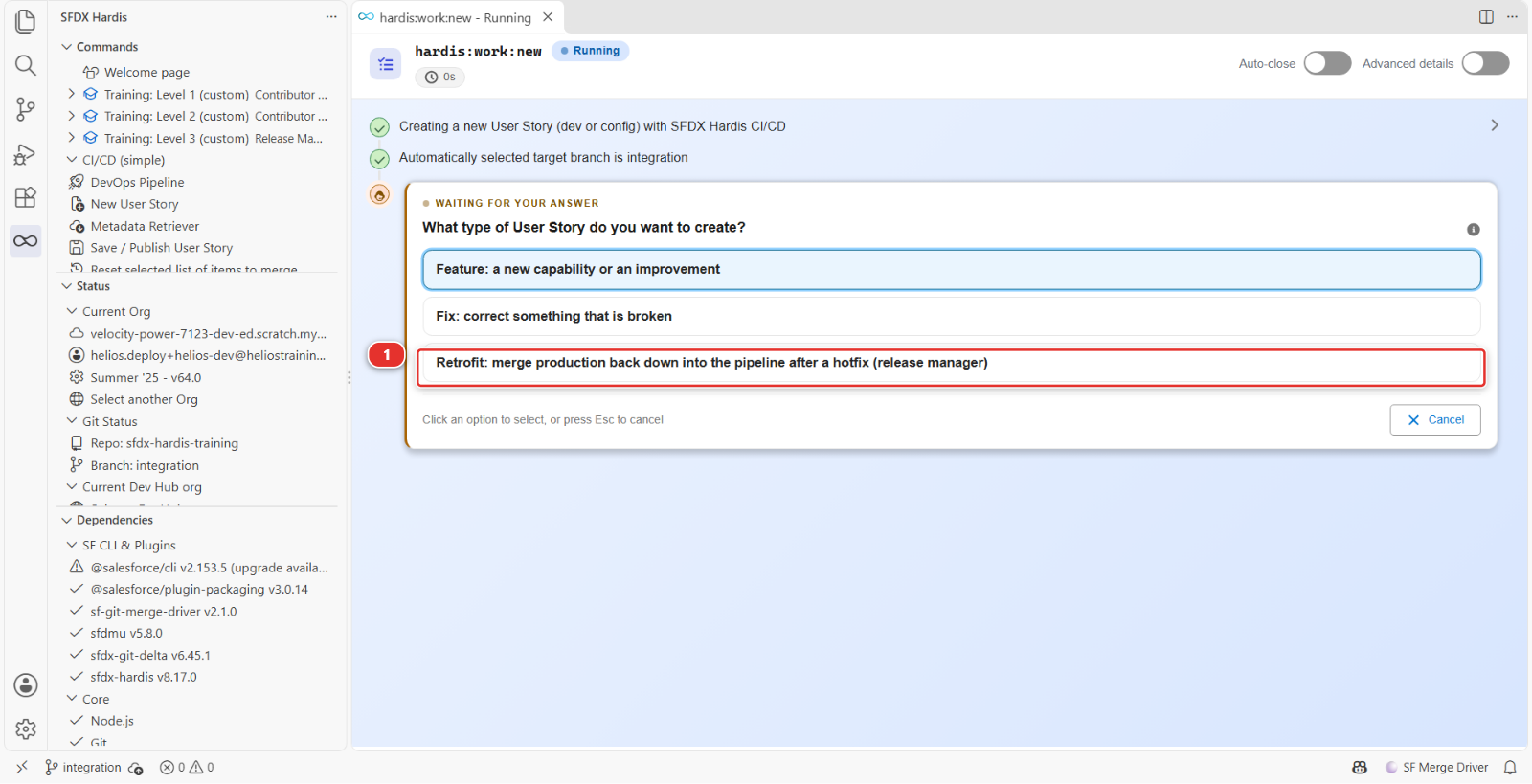
| Question | Your answer |
|---|---|
| Target branch | integration, the branch the retrofit goes back into |
| Type of branch | Retrofit |
| Name | US-045-retrofit, the story whose hotfix you are bringing back |
| Org to work in | helios-dev: nothing is built here, so the org hardly matters |
For the org, pick Scratch org, then Reuse scratch org helios-dev, as in
Lab 1.3. Not Current org: since
Lab 3.1 your default org is helios-prod, production.
Why
It is yours to do, not a contributor's: you are the one who knows what went live tonight, and a conflict between a hotfix and work in progress is a release manager's call.
The prefix is a line in branchPrefixChoices, and it tells everybody reading the branch list that
this is production coming back down, not new work.
You should now see
retrofit/US-045-retrofit, created from the latestintegration
8. Merge main into it
Goal what production runs merged into your retrofit branch.
Refresher Lab 2.7
Do
-
First make sure your machine knows what went live. Open the Command Palette (View > Command Palette, or
Ctrl+Shift+P,Cmd+Shift+Pon a Mac), typeGit: Fetchand pick Git: Fetch (1)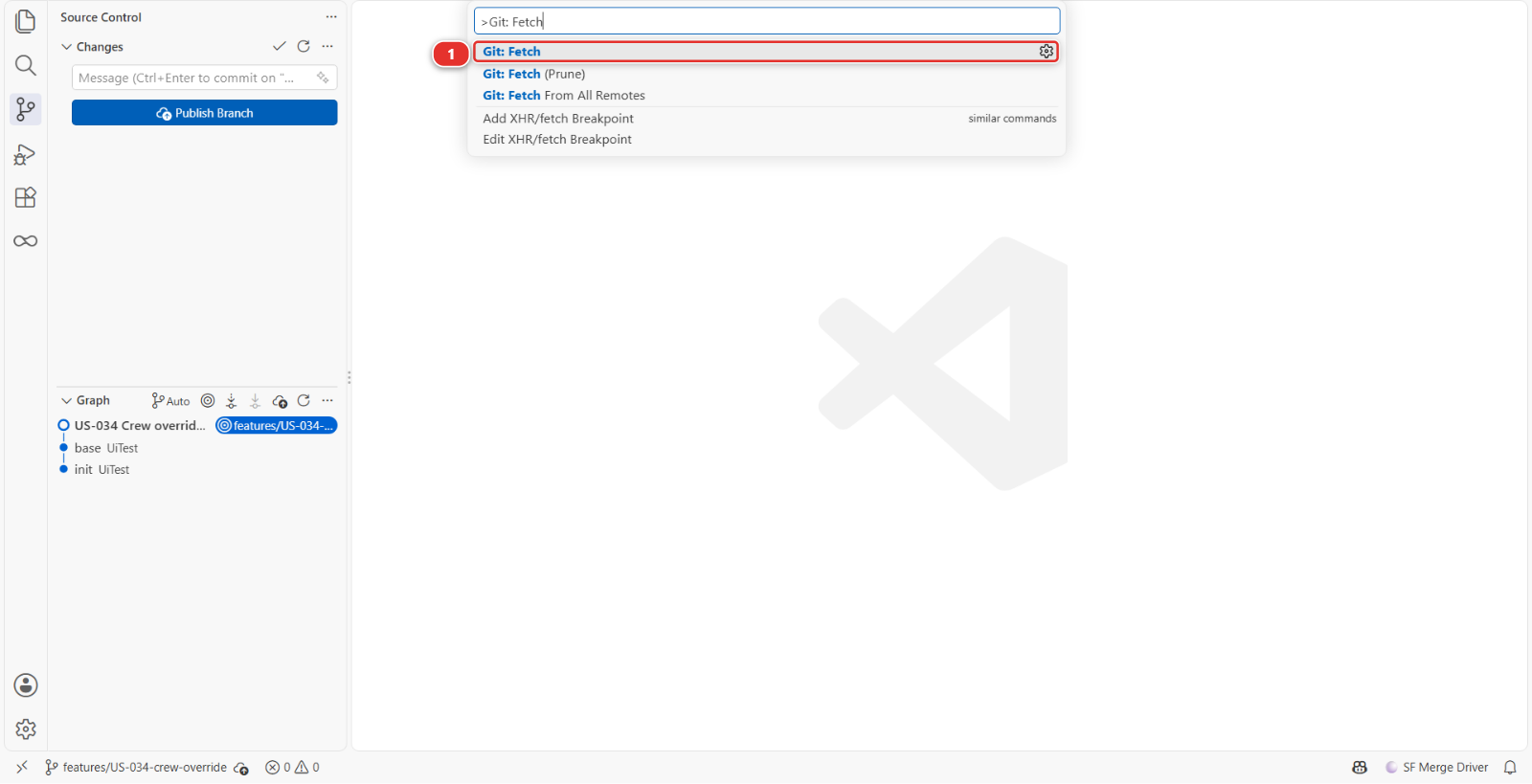
-
Open the Command Palette again, type
Git: Merge, and pick Git: Merge... (1)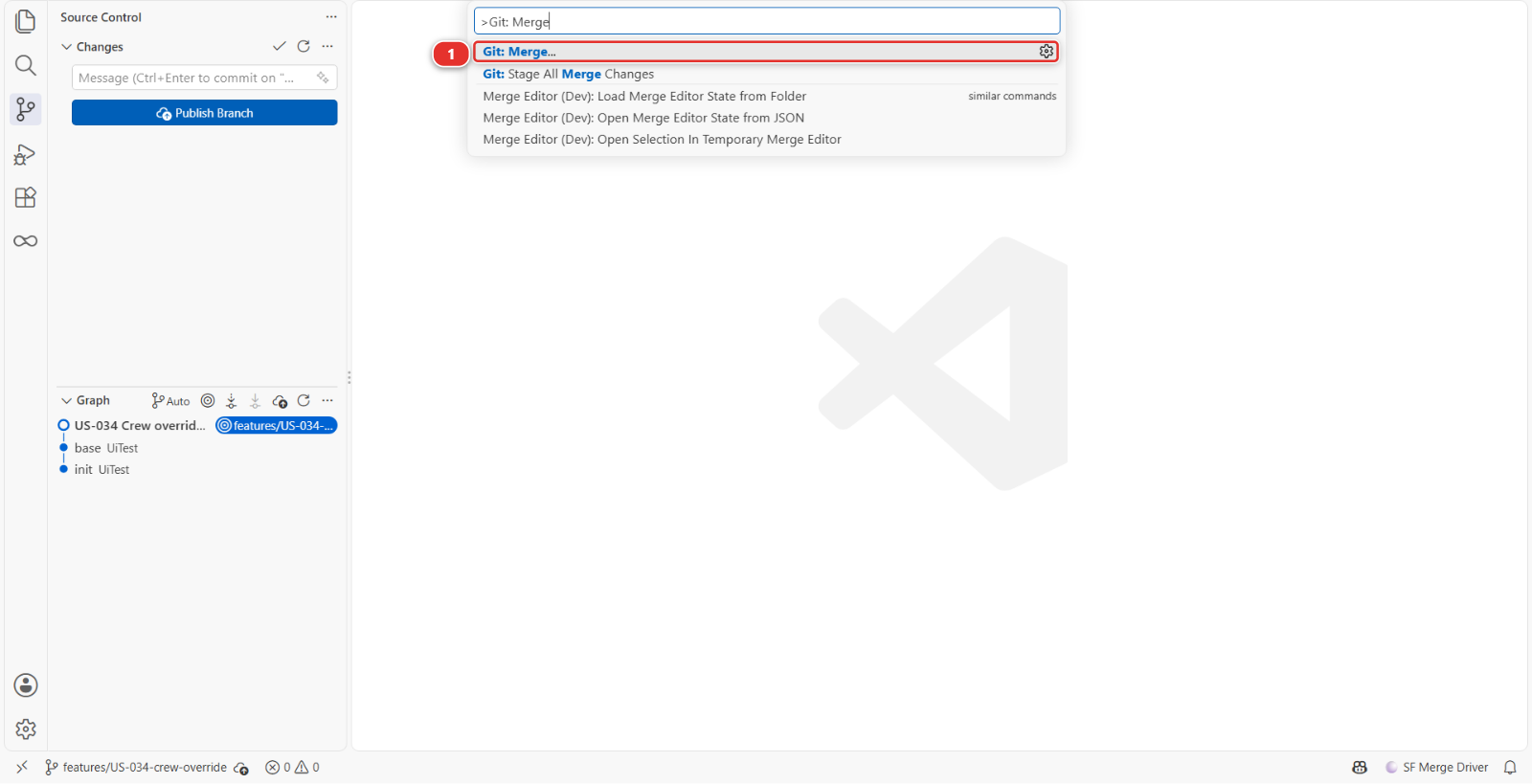
-
It asks which branch to merge. Pick origin/main (1), listed under remote branches
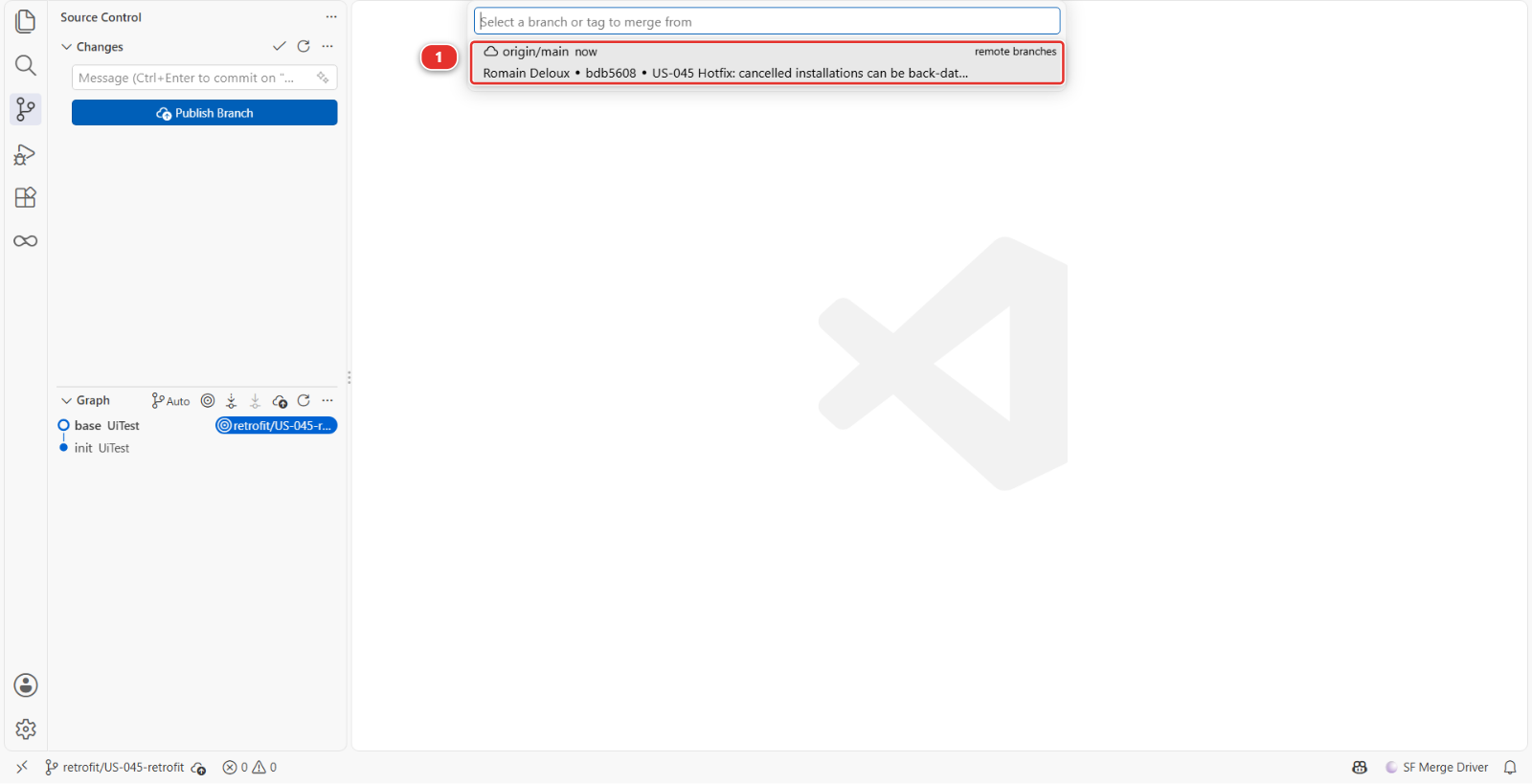
If the merge conflicts
Open each file under Merge Changes, Resolve in Merge Editor, and keep both intents, the hotfix exception and whatever
integrationadded.
origin/main, not main
main on its own is the copy on your machine, which you have not updated since before the
hotfix, and merging it brings nothing down. origin/main is what production just deployed.
The list marks the remote ones, and this is the click the whole lab turns on.
Why
Tonight this merges on its own: nobody else touched that validation rule this week. When it does
conflict, it is because somebody changed the same lines in integration, and the answer is the one
from Lab 2.7: keep both
intents. Neither side loses its work.
You should now see
origin/mainmerged intoretrofit/US-045-retrofit, with no conflict tonight
9. Publish it, and merge it into integration
Goal the retrofit merged into integration, which now carries everything production carries.
Refresher Lab 1.5
Do
- Save / Publish User Story, as in Lab 1.5
-
When it finishes, look at the actions bar along the bottom: it starts with Create Pull Request (1). Beside it sit the
package.xmlthe command generated (2) and the deployment actions of this Pull Request (3)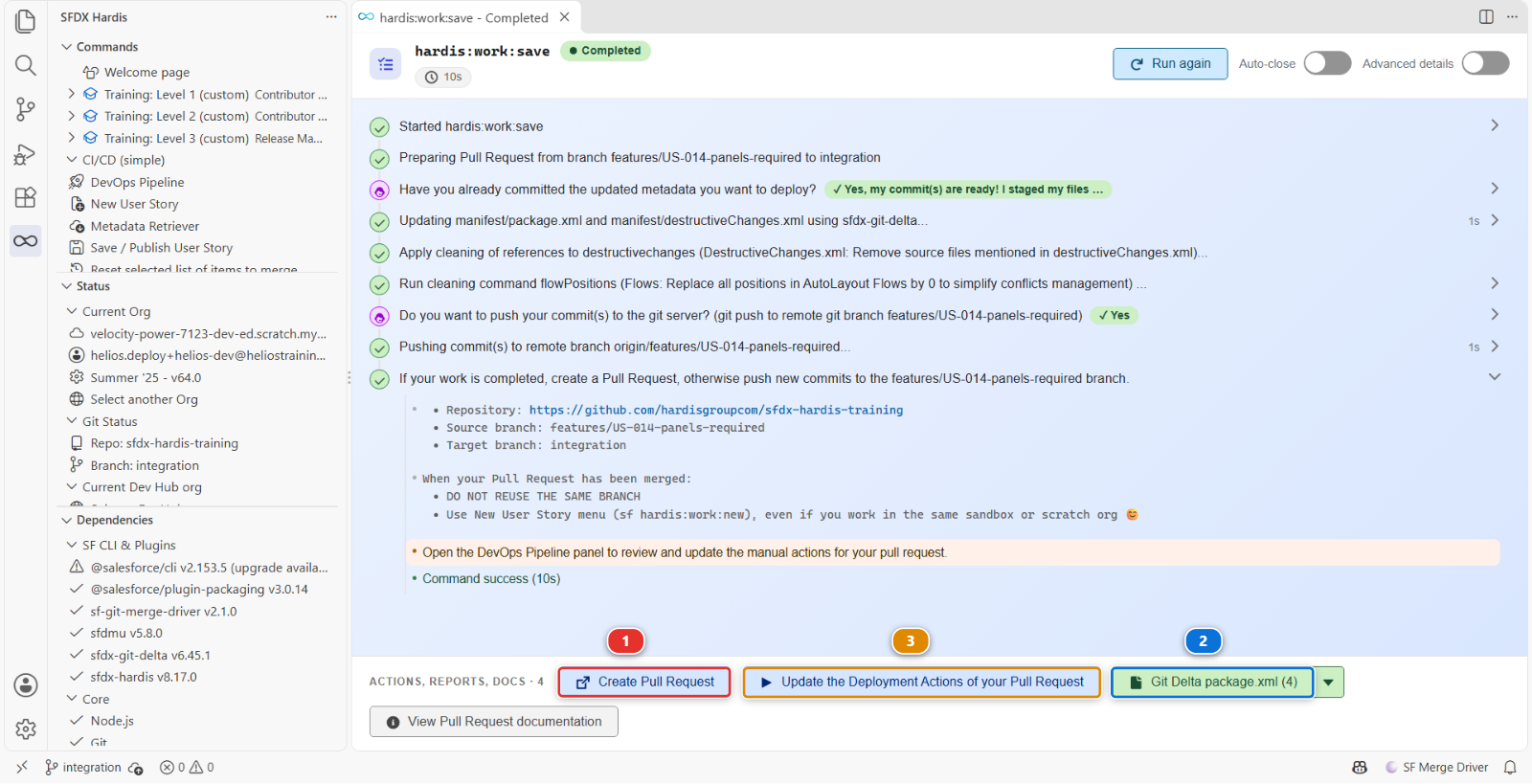
-
Open the Pull Request into
integration, and title itRetrofit: US-045 back down into integration - Wait for its checks
- Merge it with a merge commit (Create a merge commit, under the arrow of the green button), never a squash
Why
On a retrofit the package.xml and the deployment actions are both short, because a retrofit
carries what production already has and declares nothing new.
The green check comment says why it is never a squash, on its How to merge line: a retrofit brings back commits of another major branch, which must stay as they are.
Under the hood: the hotfix and the retrofit, in commands
The hotfix used nothing special. Romain ran hardis:work:new with preprod as the target
branch, which cuts his branch from preprod, and hardis:work:save computed the package against
preprod. The pipeline treats preprod as any other major branch. What makes it a hotfix is the
target, not a mode.
The branch prefix is worth a second of thought, for a reason beyond tidiness: the DORA Rework
rate of Lab 3.6 counts hotfix Pull Requests, and recognises one by a hotfix/, fix/ or
bugfix/ branch prefix. This project calls its fix branches fix/, so this one counts, on the
branch it was merged into: preprod. The release that carries it on to main comes from
preprod, so the Rework of main does not move.
The retrofit is Git from end to end, and nothing is retrieved from any org:
git checkout -b retrofit/US-045-retrofit origin/integration
git fetch origin
git merge origin/main
# solve conflicts if git reports any, then commit
git push -u origin retrofit/US-045-retrofit
The direction is the whole point. Work normally flows up, from a story branch to integration
to uat to preprod to main. A retrofit is the one thing that flows down, and it exists
because a hotfix joined the pipeline above the branches the team works on.
Do it the same night. A retrofit put off until Monday is a retrofit that collides with a week of new work, and the merge stops being a formality.
Command documentation: hardis:work:new, hardis:work:save
You should now see
- The retrofit merged:
integrationnow carries everything production carries, and the next story built on it cannot take the fix away
What you should see
-
helios-prodsaves a back-dated cancelled installation - Three Pull Requests in your fork, in this order: into
preprod,preprodintomain, and the retrofit intointegration - The same
NOT(ISPICKVAL(Status__c, "Cancelled"))line onpreprod, onmainand onintegration
If it goes wrong
The DevOps Pipeline panel shows integration alone, and the hotfix Pull Request points at a lonely preprod box.
The panel draws the pipeline from the files of the branch VS Code is on, and you are on a branch
that dates from before Lab 3.1, so it knows one major branch. Nothing is lost: uat, preprod
and main are in your fork with their configuration. Click the branch name at the bottom left of
VS Code, pick integration, then Source Control > ... > Pull, and refresh the panel.
If the Pull Request of the hotfix lists far more than one file, its branch was cut from that same
old commit: close it, click Training: Level 3 > Update my course, then Simulate my
teammates again.
The Pull Request of the hotfix targets integration.
The simulation opens it into preprod. If you see integration, you are looking at a different
Pull Request: check its head branch is fix/US-045-installation-date-hotfix.
origin/main is not in the branch picker.
VS Code has not fetched it. Run Git: Fetch again, then Git: Merge.... Nothing in your files
changes when you fetch.
The merge brought nothing down.
You picked main rather than origin/main. Run Git: Merge... again and take the entry listed
under remote branches. If you already opened the retrofit Pull Request, run Save / Publish User Story again: it takes
the merge, and its check runs again.
The retrofit Pull Request shows hundreds of changed files.
Your branch was cut from something other than the latest integration. Delete it and start step 7
again: New User Story always branches from the latest target.
The check of the retrofit fails on a deployment error.
Read it the way Lab 3.3 taught. A retrofit deploys what production already has, so an error here is
almost always a component that integration changed and main has not seen, not the hotfix itself.
Check your work
Welcome page > Training: Level 3 > Check my work, then pick Lab 3.7.
It looks for the Cancelled exemption on preprod and on main, and for the same line on
integration: the hotfix shipped, and the retrofit brought it back down.
Go deeper
Next: Lab 3.8 - Monitor your production org